Google Voice
- 4.2
- Rating
- 10.00M
- Installs
- Free
- Price

 Analysis by App-foxy
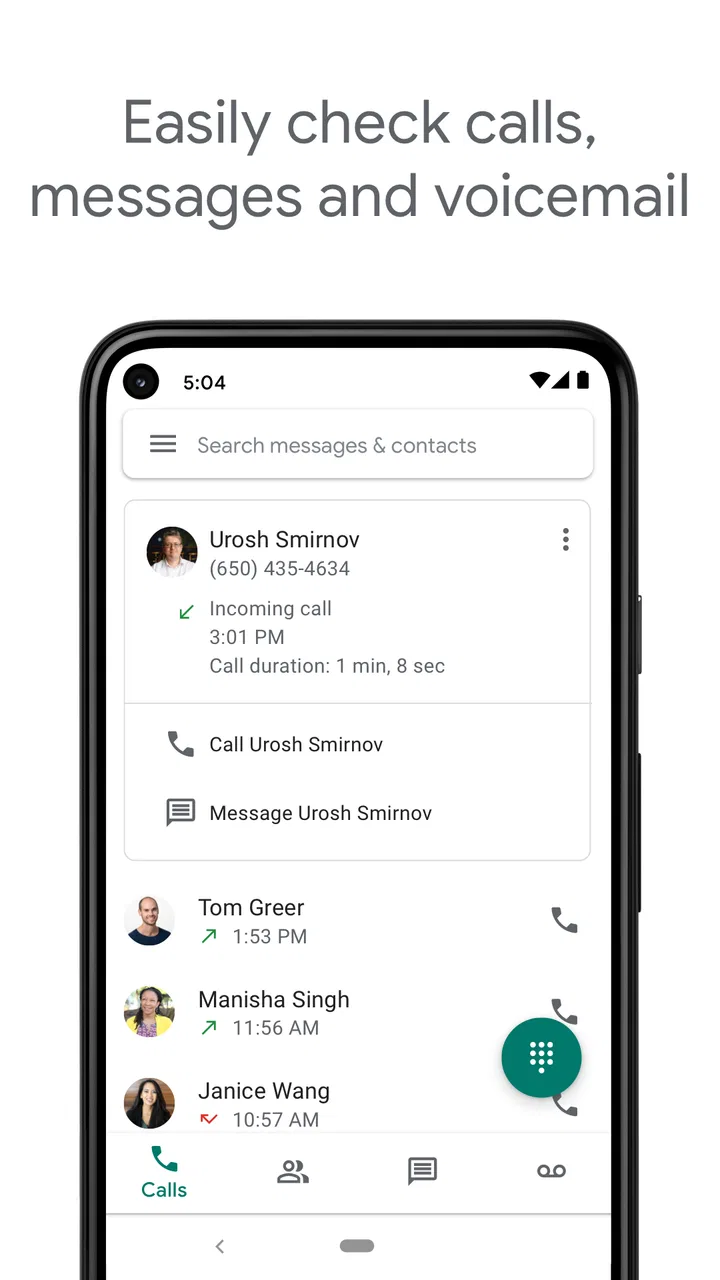
Google Voice is the kind of communication app I appreciate more after using it for a few days than I do during the first five minutes. It gives you a separate phone number managed through the cloud, which is useful when I want to keep my personal mobile number away from a side project, a temporary responsibility, or calls I would rather handle from a computer. It is free to use, made by Google LLC, and belongs squarely in the communication category rather than trying to be an all-in-one social network.
My experience is that its main strength is separation. Instead of handing out my everyday mobile number everywhere, I can use a Google Voice number as a practical buffer. That does not make it a replacement for every phone service, but it can be a very convenient second line. The app is available to an Everyone audience, supports devices running Android 8.0 or later, and the current version is 2026.02.20.873119253. Those details matter if you are checking compatibility before moving an older Android phone into a spare-line role.
How Google Voice delivers value without a purchase
The cost question is refreshingly simple: Google Voice is free. I do not have to buy the app before trying its basic concept, and that makes experimentation much easier than with a second-line service that demands payment at the start. The free access is the clearest part of its value proposition. It lets me find out whether a cloud-based number fits my routine before I reorganize how I receive calls.
You May Also Like

 Blood Strike: 2.5 Anniversary
Blood Strike’s Loadouts Turn Every Drop Into a Tactical Gamble
A close look at Blood Strike’s custom loadouts: how fast access to signature weapons reshapes its battle royale rhythm, rewards preparation, and narrows the gap between fights.

 Pandora - Music & Podcasts
Pandora’s Music Is Easy to Start, but Harder to Recover
Pandora’s strength is its low-effort path from a seed to a station. Its weak spot is how much confidence it asks you to place in connection, setup, and quiet recovery.

 8 Ball Pool
 Is Built on Rivalries, Rematches, and Routine
A close look at the rivalries, rematches, shared routines, and unanswered safety questions that turn a quick pool match into a persistent mobile community.

 Samsung Music
’s Quiet Strength Is Playing What You Already Own
Its reach comes less from spectacle than from dependable access to a personal library. That simplicity is both the app’s strongest retention engine and its ceiling.

 AccuWeather: Weather Radar
AccuWeather Review: A Quick, Clear Forecast for Everyday Decisions
For everyday plans, the best forecast is the one you can understand quickly. AccuWeather makes rain timing, radar, and local conditions easy to act on, with a few trade-offs.

 Hill Climb Racing
Why Hill Climb Racing Still Turns Crashes Into One More Run
A tiny car, a bumpy hill and one more upgrade: Hill Climb Racing keeps resurfacing because its simple chaos makes every near-miss feel personal.
More From Our News Desk



That free price should still be viewed realistically. “Free” makes the app accessible, but it does not automatically mean it replaces a complete mobile plan, a business phone system, or every feature found in a paid communications service. I see it as a useful extra layer for calls and messages, not as a promise that all communication needs disappear. The right question is whether a separate number solves a problem you already have.
The audience around it is substantial: Google Voice has passed ten million installs, with an average rating of 4.2 from roughly 369 thousand ratings. I do not treat popularity as proof that it will suit everyone, but it does make the app feel less like an experimental niche tool. There is a large enough user base for the basic idea to be familiar, while the rating suggests a generally positive experience with some room for frustration.
In everyday use, the cloud-based approach is more useful than simply having another icon for a dialer. I can think of the number as an identity that is separate from one physical handset. That is helpful when I switch between a phone and a computer, or when I want to keep a project-related number distinct from family and close friends. The benefit is organizational: calls associated with one purpose can stay attached to one number.
A practical second number for ordinary situations
One realistic example is a small freelance project. I might need to speak with clients for several weeks, but I may not want to publish my personal mobile number in messages, listings, or appointment details. A Google Voice number gives me a cleaner boundary. I can answer project calls when I am available and keep my primary number reserved for people who already know me.
The same arrangement can work for a community activity, a room-rental inquiry, a volunteer role, or a short-term buying and selling task. In each case, the value comes from reducing the number of places where my personal number appears. It is not about pretending to be anonymous; it is about keeping communication categories separate and making future cleanup easier.
I also find the computer-based angle important. A cloud number is more flexible than a second physical SIM when my goal is access across devices rather than another cellular contract. If I am working at a desk, handling a call from there can be more comfortable than reaching for my phone every time. That workflow is especially appealing for people who already spend much of their day inside Google’s ecosystem.
There is another subtle advantage: a separate number can improve attention. When a call arrives on my personal line, I tend to assume it deserves immediate attention. A project or public-facing number creates a mental filter. I can decide when to check it, which is a small but meaningful improvement for anyone who wants clearer boundaries between private life and occasional obligations.
Where it compares well with the usual alternatives
Compared with using one personal mobile number for everything, Google Voice is more organized and easier to compartmentalize. The usual mobile approach is straightforward, but it encourages one number to follow me into every context. A second cloud number avoids that all-or-nothing choice without requiring me to carry another handset.
Compared with messaging apps that depend on usernames or existing contacts, a phone number remains familiar to people who simply want to call or send a text. That can lower the explanation burden. I do not have to persuade every contact to install the same social app just to reach me. For ordinary phone-based communication, that familiarity is a real strength.
Compared with a full business phone platform, Google Voice feels more approachable for an individual or very small operation. A large organization may need advanced administration, formal support arrangements, or a more elaborate call-handling setup. I would not choose this app on the assumption that it is a complete replacement for those systems. Its appeal is that it keeps the second-number idea relatively easy to understand.
Compared with a paid second-line service, the free entry point is its strongest advantage. A paid alternative may be the better choice when I need a specific service guarantee, broader business controls, or a feature that Google Voice does not provide in my situation. The important distinction is that I should pay for a clearly required capability, not merely because a paid app sounds more professional.
Small workflows that make the app more useful
My first recommendation is to decide what the number is for before sharing it. A number used for freelance inquiries should not automatically become the number for family, delivery accounts, and every online form. The more clearly I define its role, the more useful the separation becomes. Otherwise, I simply create a second inbox that is just as noisy as the first.
A second useful habit is to treat the cloud number as a routing tool, not only a calling tool. If I move between a phone and a computer, I can choose the place that fits the moment. That is more convenient than tying the conversation to one handset, especially when I am already working at a desktop. The advantage is not flashy, but it changes how naturally the number fits into a workday.
A third insight is that the app can help with controlled exposure. If I am contacting someone I do not know well, using a separate number gives me a cleaner way to keep that interaction apart from my private line. I still need to communicate responsibly and protect my account, but separation reduces the hassle of changing my main number later if a public interaction becomes unwanted.
I would also create a simple personal rule for response times. A second number is most valuable when it does not become an always-on obligation. I might check it at set points during the day rather than responding to every call immediately. That turns the app into a boundary-setting tool instead of another source of interruptions.
Tradeoffs to understand before relying on it
The biggest limitation is conceptual: a cloud-based number is not identical to a traditional mobile line in every situation. If I need the number to serve as my only connection for urgent, high-stakes communication, I would be cautious about making it the sole option. A second line is useful precisely because it is separate; that same separation means I should understand what role it can reliably play for me before depending on it.
There is also a management cost. A second number means another place to check, another identity to explain, and another communication history to keep organized. The app can reduce clutter between personal and non-personal calls, but it can also create clutter if I share the number indiscriminately. The benefit depends on discipline, not just installation.
People who need deep team collaboration may find the experience too narrow. An individual handling occasional calls is a natural fit, while a growing business may quickly want more structured workflows than a simple cloud number provides. In that case, a dedicated business phone service could be a better investment, even though it introduces a price that Google Voice does not.
I would also avoid choosing it solely because the developer is Google LLC. Familiar branding can make an app feel automatically suitable, but the practical test is still whether the number fits my communication habits. The app’s current version and broad Android compatibility make it accessible to many users, yet compatibility alone does not solve the question of whether I need a second line.
The age rating of Everyone is reassuring for general accessibility, but it should not be confused with a recommendation for every communication context. Parents, schools, clubs, and workplaces still need their own judgment about how a phone number is shared and managed. The rating describes broad suitability; it does not define the best use case for each person.
Who should use it, and who should skip it?
I would recommend Google Voice to someone who wants a free additional number for a clear purpose. Freelancers, volunteers, students managing a project, landlords handling inquiries, and people separating public contacts from personal contacts can all understand the benefit quickly. It is also a sensible option for anyone who wants to try a cloud-based number without committing money first.
It is particularly appealing if I already divide my day between a mobile device and a computer. The ability to think of the number as cloud-managed rather than handset-bound can make work calls feel less tied to my private phone. That flexibility is more valuable for desk-based routines than for someone who rarely uses a computer and only wants a conventional mobile line.
I would skip it if I have no need for a separate number. Installing another communication app just because it is free does not improve my life. I would also look elsewhere if I need a fully featured business system, guaranteed organizational controls, or a very specific calling arrangement that a basic second-line workflow cannot satisfy.
Someone who expects a free app to eliminate all mobile-service costs should also reconsider. The verified price is free access to the app, not a blanket promise that it replaces every paid service around phone communication. I see the value as avoiding an initial purchase for the app while gaining a practical number-management option.
My final recommendation
After using Google Voice as a communication tool, I see it as a focused solution rather than a universal phone replacement. Its best idea is simple but genuinely useful: give me a separate number that I can use for a defined part of my life without immediately paying for another app. That is enough to make it worthwhile for the right person.
The tradeoff is that I must provide the organization. I need to decide what the number represents, avoid mixing every contact into it, and choose a different service if my needs grow into formal business communications. Those are not reasons to dismiss it; they are the boundaries that keep the free option useful.
For me, the verdict is an easy try when I want a second number and do not want to spend money testing the idea. The app’s 10M-plus installs, 4.2 average rating, and Everyone age classification support its broad appeal, while its free price removes the usual barrier to experimenting. If a separate cloud number solves a specific problem, Google Voice is worth installing; if you only need one ordinary mobile line, it is extra complexity rather than extra value.
FAQs for Google Voice
01What features does Google Voice offer for communication?
Google Voice provides a variety of features for seamless communication, including free voice calls, text messaging, and voicemail services. It allows users to send texts and make calls from their phones or computers. Additionally, it offers call forwarding, voicemail transcription, and integration with Google Hangouts and Google Calendar.
02Is Google Voice available for both Android and iOS users?
Yes, Google Voice is available on both Android and iOS platforms. Users can download the app from the Google Play Store for Android devices and the Apple App Store for iOS devices. The cross-platform availability ensures that users can enjoy a unified communication experience regardless of their device.
03How does Google Voice handle international calling?
Google Voice offers competitive rates for international calls, making it an affordable option for users who frequently call abroad. While domestic calls within the U.S. and Canada are generally free, international rates vary by country. Users can check the current rates in the app or on the Google Voice website before making international calls.
04Can I use Google Voice without a Google account?
No, a Google account is required to use Google Voice. This integration allows users to sync contacts, access voicemail transcriptions, and manage settings seamlessly across devices. Having a Google account also facilitates the connection with other Google services, enhancing the overall user experience.
05How secure is Google Voice for personal communication?
Google Voice employs various security measures to protect user data, including encryption for calls and messages. While it offers a secure platform, users should be aware of the potential risks involved with any online service. Google regularly updates its privacy and security features to help safeguard personal information.
Pros
- Seamless integration with Google services.
- Free calls to U.S. and Canada numbers.
- Voicemail transcription feature.
- Supports multiple devices simultaneously.
- Customizable call forwarding options.
Cons
- Limited international call options.
- No end-to-end encryption.
- Requires a Google account.
- Not available in all countries.
- Occasional call quality issues.

Google Voice
Gallery